Canvas and nodes
Moving around
| Action | How |
|---|---|
| Pan | Right-click and drag |
| Zoom | Mouse wheel (around the pointer) |
| Pan horizontally | Alt + wheel |
| Select several nodes | Drag on empty canvas (edit mode) |
| Add to the selection | Ctrl/Cmd + click |
Node types
| Node | Purpose |
|---|---|
| Link card | A link with icon and title, from 2×2 to 12×12 grid cells |
| Group | A frame that holds cards and other groups; it can collapse |
| Picture | An image from your gallery |
| Chart | A live time series, see Charts |
| News feed | Articles from RSS or Atom feeds, see News feeds |
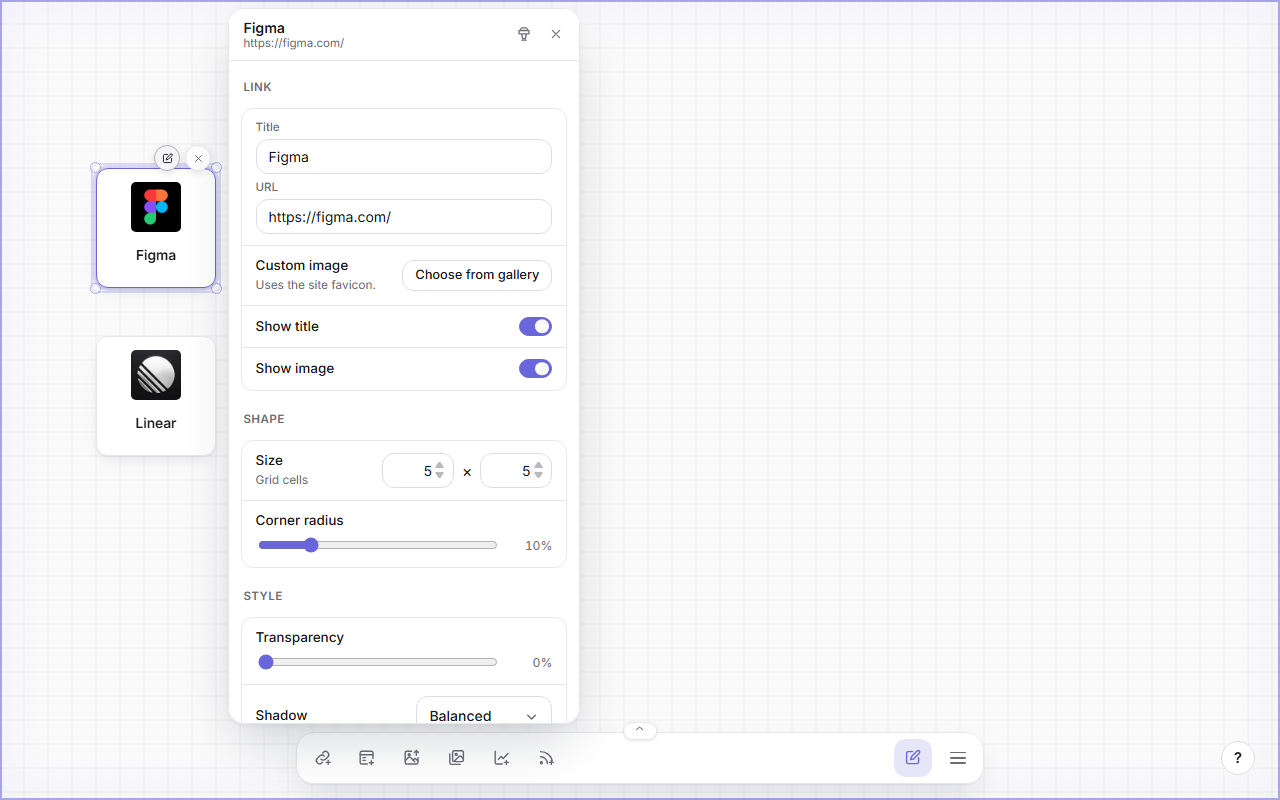
All nodes share the same controls in edit mode: hover a node to show its action bar (edit, delete) and resize handles on every edge and corner.
Groups
- Drag a card, picture, chart or feed into a group body to make it a member. Drag the group header to move the group with all members.
- Select the arrow in the header to collapse the group. Everything inside it is hidden, including charts and feeds, and the nodes below move up. Expand it again and they move back.
- Groups can be nested. Collapsing a parent hides the nested groups too.
Edit panels
Select the pencil on a card or group to open its edit panel. It has three sections:
- Link (cards) or Group: title, URL, custom image, show title and image.
- Shape: size in grid cells and corner radius.
- Style: transparency, shadow, fill and border color.
Colors come from five presets per theme. Preset colors follow the light/dark switch; a free custom color stays as you picked it.
The brush icon in the panel header is the format painter: it copies the style, shape and size to every card or group you click next. Press Esc or click empty canvas to stop.
Keyboard shortcuts
| Keys | Action |
|---|---|
| Ctrl/Cmd + V | Paste a URL, text or a copied selection |
| Ctrl/Cmd + C | Copy the selection |
| Ctrl/Cmd + X | Cut the selection |
| Ctrl/Cmd + Shift + C | Copy the format of one card or group |
| Ctrl/Cmd + Z | Undo |
| Delete | Delete the selection |
| Arrow keys | Nudge the selection on the grid |